ערכתי לאחרונה בתאריך 05.07.25 בשעה 02:33 בברכה, crazykid
קודם כל אני חייב להתחיל בחורף (שאולי עדיין גר בצ'כיה) ו-ZiggyMan אני אוהב אתכם, Poseidon ו- CrazyLion (יובל) אהבה בלב
להיות אמיתי לא ידעתי איפה לרשום את זה זה אז אפשר להעביר את זה לפורום המתאים ❤️
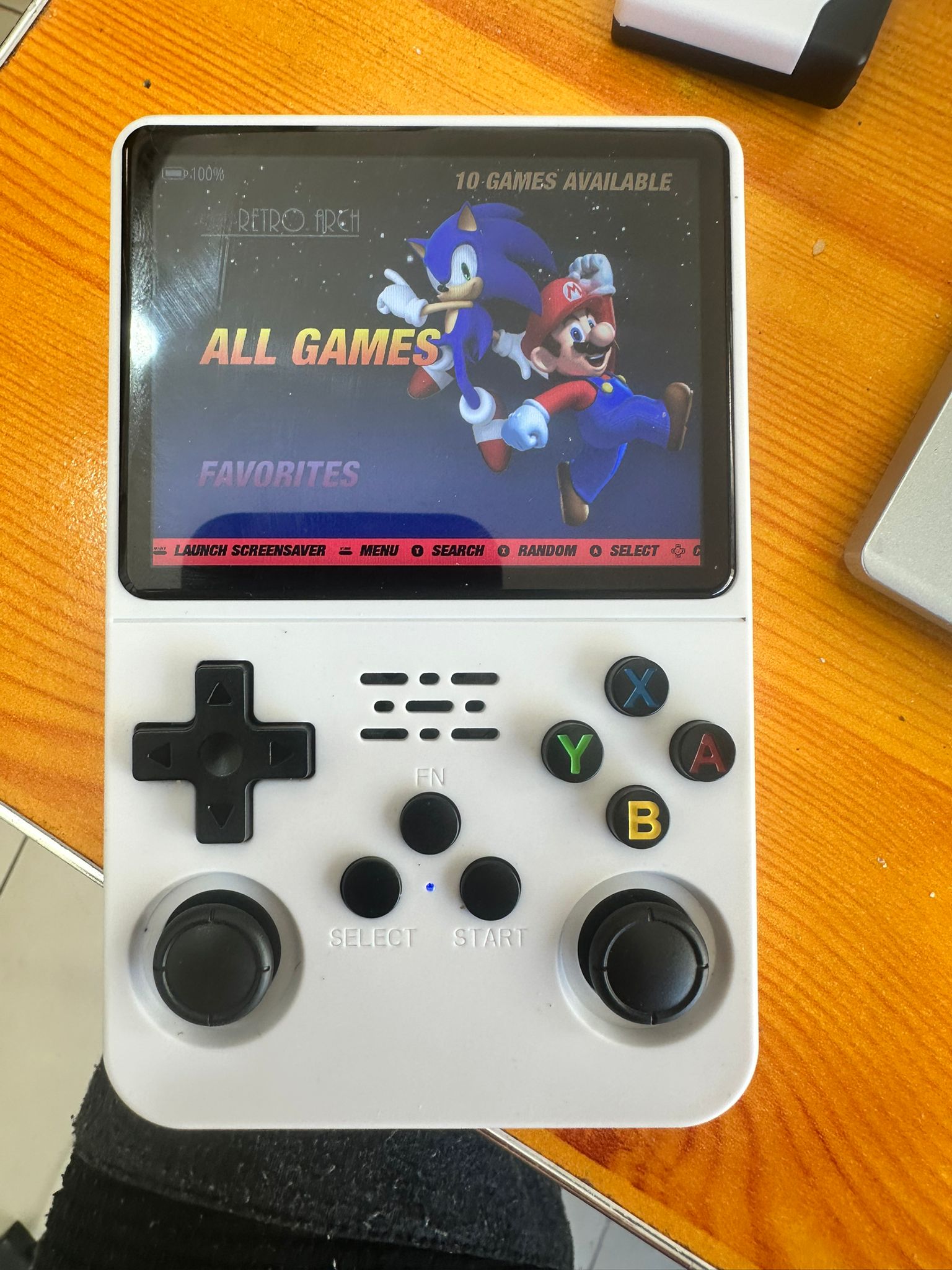
קניתי מכשיר קונסולה של גיימבוי גירסא R36S
לקח לי 3 ימים להבין איך מסדרים את זה!! הבנאדם בIVORY אמר לי שאף אחד לא הצליח בחיים והמכשיר הזה דפוק.
מי שמכיר אותי פה (ויש כאלה) יודע שאני לא מוותר בקלות.
רציתי לשתף אתכם בטיפ הצלחתי לסדר את המכשיר (שמתי עליו 39 אלף משחקים כולל psp, ps1, gameboy color, snes וכל מה שקשור)
המכשיר עולה 200 שקל (שווה כל שקל אם אפשר להפעיל אותו)
רשמתי את זה באתר REDDIT בפוסט היחידי ששמתי שם כדי שאנשים יבינו איך לעשות את זה.
רשמתי את זה באנגלית ואני מפרסם פה, שוב אומר, במידה וזה נוגד את החוקים בבקשה להעביר לפורום המתאים או למחוק.
זה ההסבר שרשמתי:
Hello guys, this is my first post here  and not sure if the last.
i will start and say the Reddit for me was always a place to look for solutions when i had an issue.
this time i want to give back. i purchased the R36S console to install some PSP and retro games to play.
only after purchasing it i saw how difficult it is to make it work and it took me 3 days to cracks the solution!
so i just want to make my first post to help others and hopefully it will save you time and effort!
OK, so:
after trying multiple OS and multiple options, i found the great one that serve the purpose and let you install almost any emulator that exist (PS1, NES, SNES, PSP, GAMEBOY, etc.)
what you will need is a reliable sd card (known company) and a card reader if you dont already have it built in in your PC.
those are the exact steps i did:
Download balenaEtcher which is how you inject the img needed. link:
https://etcher.balena.io/?#download-...
2. Download (and be specific) the img called: ArkOS_R35S-R36S_v2.0_06302025_MultiPanel.img
here is the link:
ArkOS_R35S-R36S_v2.0_06302025_MultiPanel.img.xz - Google Drive
or to their direct site (if you go there make sure to download the one i specified):
Releases · AeolusUX/ArkOS-R3XS
3. Unmount the img file that was downloaded so you get a clear *.img extension (ArkOS_R35S-R36S_v2.0_06302025_MultiPanel.img)
4. open balenaEtcher (dont connect your sd card yet)
5. Press on select a file and select the new img file we just unzipped.
6. now it will let you choose a drive, connect your SD card to to your PC and it will pop right up. dont worry about formatting it first there is no need, the software does everything that neeeded.
6. Press on FLASH
very important, if you get a windows pop up window to format the card, press on cancel! do not let windows format it because belenaEtcher doing everything by itself.
7. after the flashing & validation is done safely unmount your sd card and insert it to TF1 slot (usually on the right side below the volume button)
8. NOW! this is the tricky part! make sure the console is charged at least 50%!
HOLD R1 button + DOWN button (R1+DOWN) without letting go, while you keep pressing them press on the power button (probably on the top left side of the console) for two seconds until you see the blue light indicator showing up then let go of the power button (not of the R1+DOWN buttons). keep holding R1+DOWN and you should see (after couple seconds) a red debug screen showing up, KEEP HOLDING until the system auto shut down, when it auto shut down hold for another two seconds and let go.
9. wait for 4-5 seconds and press the power button for 3 seconds (for the blue indicator to show up)
10. thats it! should work!
11. Enjoy!
im sorry if my english is a bit off, but i wanted to share how to easy make it work because i saw a lot of topics saying how to and it didnt work for me until i succeeded with this one.
important to know, the console device i purchased was a original device from a trusted source.
have fun guys!
אוהב אותכם. שבת שלום. 



 אשכול 24931

